
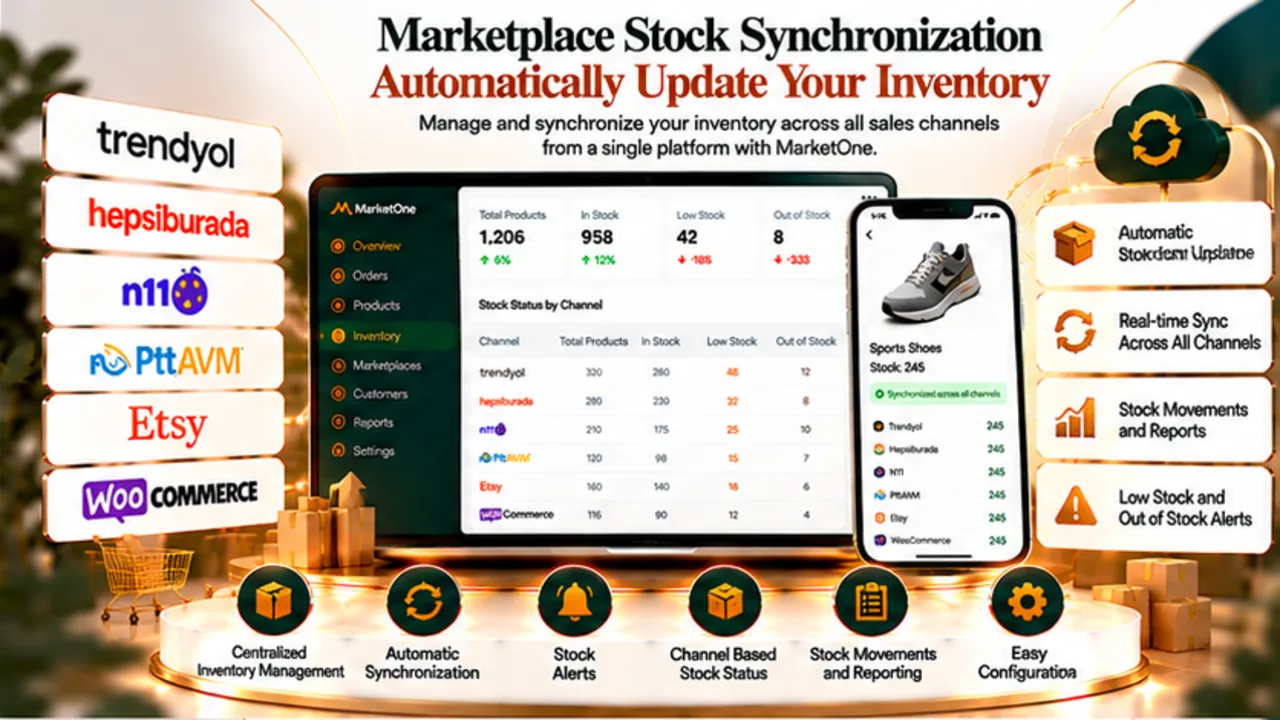
Centralised inventory management
What is marketplace inventory synchronisation?
Marketplace inventory synchronisation keeps stock quantities across different sales channels connected to a central inventory source. Instead of updating Trendyol, Hepsiburada, N11, PttAVM, Etsy and WooCommerce separately, stock changes can be distributed to connected channels from one management environment.
MarketOne helps keep multichannel inventory data aligned, reducing repetitive manual updates and improving visibility across connected marketplaces.
Reduce inventory discrepancies
Why does marketplace inventory need synchronisation?
When the same product is listed on several marketplaces, maintaining stock separately in each panel becomes increasingly difficult as order volume grows. A sale on one channel that is not reflected quickly elsewhere can create stock discrepancies or leave unavailable products visible for sale.
Central inventory control
Manage inventory across connected sales channels from one central structure.
Post-order updates
Reflect inventory changes across connected channels after sales.
Fewer stock discrepancies
Reduce the risk of disconnected stock figures across marketplaces.
Channel-specific rules
Use different stock quantities or policies for individual sales channels when needed.
Inventory across multiple sales channels
Manage inventory across Trendyol, Hepsiburada, N11 and other channels
MarketOne helps bring inventory workflows from Trendyol, Hepsiburada, N11, PttAVM, Etsy and WooCommerce into one central structure. The exact synchronisation scope can vary depending on the technical capabilities of each channel.
- Trendyol inventory synchronisation
- Hepsiburada inventory synchronisation
- N11 inventory synchronisation
- PttAVM inventory management
- Etsy inventory management
- WooCommerce inventory integration
From order to inventory update
How does inventory synchronisation work?
- Define central inventory: The main stock quantity is managed inside MarketOne.
- Map products to channels: Marketplace products and variants are matched to the correct central items.
- An order is placed: A sale on a connected channel changes the available inventory.
- Inventory is recalculated: The central quantity is updated according to configured rules.
- Connected channels are updated: The new quantity is distributed to supported marketplaces.
Not every channel needs the same stock value
Create channel-specific inventory policies
Some businesses use one shared physical inventory pool across all channels, while others reserve different quantities for particular marketplaces. MarketOne supports channel-specific inventory settings for these scenarios.
Shared inventory pool
Manage channels that draw from the same physical stock.
Channel-specific inventory
Assign different available quantities to selected marketplaces.
Safety stock
Control how much inventory is exposed for sale according to your operating policy.
Central visibility
Monitor marketplace inventory from one operational workspace.
Variant-level control
Keep colour, size and other variant inventory correctly mapped
Reliable inventory synchronisation depends on correct variant mapping as well as product mapping. Products with colour, size or similar options can be managed with separate inventory quantities and matched to their marketplace equivalents.
Inventory and orders work together
Connect inventory synchronisation with marketplace order management
Inventory cannot be managed independently from orders. A marketplace order changes the central stock quantity, and the updated value can then be distributed to other connected channels within the same operational flow.
For a focused three-channel scenario, see our Trendyol, Hepsiburada and N11 integration page.
Operational comparison
Manual inventory management vs synchronised inventory management
| Process | Manual inventory management | MarketOne synchronised management |
|---|---|---|
| Inventory updates | Each channel is checked and updated separately. | Central inventory data is distributed to connected channels. |
| After an order | Other marketplace quantities may need manual correction. | The updated quantity can be reflected across connected channels. |
| Variant tracking | Colours, sizes and other variants are checked in different panels. | Variant mappings are managed centrally. |
| Channel-specific stock | Different stock policies can become difficult to monitor. | Channel-specific inventory rules can be managed centrally. |
For multichannel commerce operations
Who is marketplace inventory synchronisation for?
- Businesses selling the same products across several marketplaces
- Teams managing Trendyol, Hepsiburada and N11 inventory together
- Brands looking to reduce inventory errors and repetitive manual updates
- Fashion and retail businesses managing stock at variant level
- Companies operating WooCommerce alongside marketplace channels
- Teams that need more controlled inventory operations as order volume grows
Inventory is one part of the operation
Manage inventory synchronisation as part of marketplace integration
Inventory synchronisation is only one part of multichannel commerce. Product mapping, order management, channel-specific pricing, invoicing and related operations create a more complete marketplace management structure when they work together.
For the broader picture, visit our Marketplace Integration solution page.
Centralise inventory with MarketOne
Start managing marketplace inventory from one place
Explore MarketOne’s inventory, product, order, pricing and broader e-commerce management capabilities.
Frequently asked questions
Marketplace inventory synchronisation FAQ
What is marketplace inventory synchronisation?
It is the central management of stock quantities across different sales channels and the distribution of inventory changes to connected marketplaces.
Can Trendyol inventory be updated automatically?
MarketOne can help update supported Trendyol inventory through its connected integration.
Can Hepsiburada and N11 inventory also be managed centrally?
Yes. Inventory can be managed centrally where the connected channel supports the relevant workflow.
Does inventory change on other marketplaces after an order?
After an order, central inventory can be recalculated and the updated quantity distributed to supported connected channels.
Can I show different stock quantities on different marketplaces?
Yes. Channel-specific inventory values and policies can be applied.
Can inventory be managed at variant level?
Yes. Product variants can be mapped to their channel equivalents and managed with separate stock quantities.
Can WooCommerce inventory be managed with marketplace stock?
Yes. WooCommerce can be included in the same inventory operation alongside other connected sales channels.
Does synchronisation completely eliminate inventory errors?
No system can remove every operational risk, but central synchronisation can reduce repetitive manual work and the risk of inventory discrepancies between channels.